Mastering Monster Truck Drifts in Truck Space 2
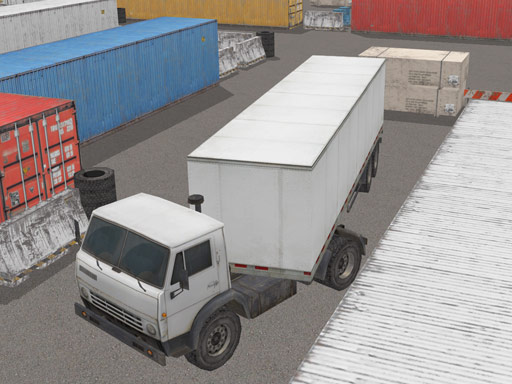
Jump into the driver's seat of a powerful monster truck and explore a massive open world designed for creative driving. Truck Space 2 blends realistic physics with arcade-style fun, letting you drift, park, and tune your vehicle across detailed 3D environments. Whether you prefer high-speed racing or methodical parking challenges, this mobile and browser-ready experience delivers endless entertainment for Android and iPhone users alike.
The game presents a sprawling city and countryside layout filled with ramps, tight corners, and open highways. You can freely roam to discover hidden areas or jump straight into structured challenges. The 3D graphics make every turn feel immersive, and the physics engine ensures that each drift and collision reacts realistically. This freedom encourages experimentation, letting you test your monster truck's limits without pressure.
Understanding Vehicle Physics and Handling
Mastering the controls is essential for enjoying the full range of driving activities. The steering responds smoothly to touch inputs on mobile devices, while keyboard controls offer precision on desktop. Weight distribution matters when tackling steep inclines or performing sharp turns. Practice braking before corners to maintain control, and use the throttle wisely to avoid flipping over during aggressive maneuvers.
Customization and Tuning Options
Personalizing your truck adds depth to the gameplay. You can modify suspension settings, adjust tire pressure, and upgrade engine components to suit different terrains. A stiffer suspension helps with high-speed stability, while softer settings improve grip on uneven surfaces. Experimenting with these options lets you create a vehicle that matches your driving style, whether you prefer drifting through city streets or conquering off-road trails.
Drifting Techniques for Monster Trucks
Drifting in a heavy vehicle requires timing and finesse. Approach corners at a moderate speed, then initiate the slide by turning sharply and applying the handbrake briefly. Counter-steer to keep the truck balanced and use throttle control to sustain the drift. Practice on wide, open roads before attempting tight urban drifts. This technique not only looks impressive but also helps in navigating narrow spaces efficiently.
Parking Challenges and Precision Driving
For players who enjoy a test of accuracy, the parking modes offer a satisfying challenge. Maneuver your truck into tight spots without touching obstacles, using the camera angles to judge distances. Slow and steady inputs are key here, as momentum can easily cause a collision. Completing these tasks rewards you with a sense of accomplishment and improves your overall control skills for other game modes.
Multi-Platform Accessibility and Performance
Truck Space 2 runs smoothly on both mobile devices and desktop browsers thanks to its HTML5 foundation. Android and iPhone users can enjoy the same high-quality experience on the go, while PC players benefit from larger screens and precise controls. The game optimizes performance to maintain frame rates even during intense action, ensuring a consistent and enjoyable session every time you play.
Getting Started and Play Tips
Begin by exploring the tutorial area to get a feel for the basic controls. Then, dive into free roam to discover your favorite spots. Set personal goals, like completing a perfect drift sequence or parking in the most challenging location. Regular practice will build confidence, and sharing your best moments with friends can add a social element to the fun. Ready to hit the road? Jump into the action now with Truck Space 2.
FAQ
Is Truck Space 2 free to play? Yes, it is accessible without cost on supported platforms, allowing you to enjoy all features without hidden fees.
Can I play it on my phone? Absolutely, the game supports both Android and iPhone devices with touch-friendly controls.
What makes the drifting unique? The physics system simulates weight and momentum, making monster truck drifts feel authentic and challenging.
Are there regular updates? The developers focus on improving performance and adding content based on player feedback.
Do I need an internet connection? While online play is smooth, some features may require a stable connection for the best experience.